━━━━━━━━━━━━━━━━━━━━━━━━━━━━━━━━━━━━━━━━━━━━━━━━━━━
Let me be honest with you for a second.
When I first heard that people were making thousands of dollars a month from YouTube without ever showing their face, recording their voice, or even buying a camera — I didn’t believe it either.
Then I met Aryan. A 22-year-old engineering student from Pune who runs three faceless YouTube channels entirely with AI tools. His most successful one covers finance tips for Gen Z. He uploads twice a week. Each video takes him about 45 minutes to produce from scratch. Last month, his AdSense check was ₹94,000.
He doesn’t appear on camera. His voice is AI-generated. The thumbnails? Made in 8 minutes with Canva AI. The scripts? ChatGPT with his custom prompts.
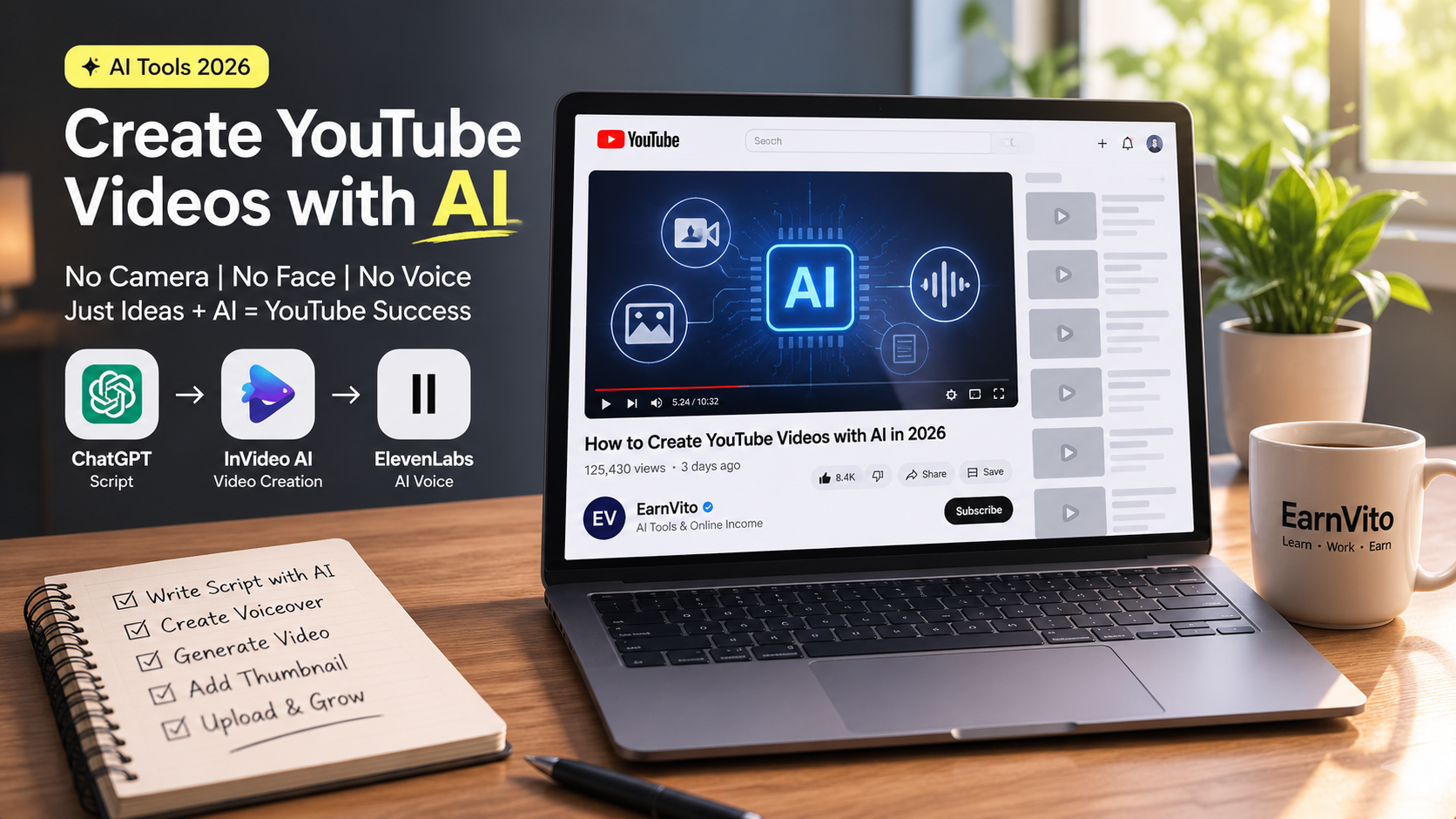
This is exactly what creating YouTube videos with AI in 2026 looks like — and it’s more accessible than you think.
In this guide, I’m going to walk you through the complete process — step by step — so you can launch your own AI-powered YouTube channel, even if you’ve never made a video in your life.
━━━━━━━━━━━━━━━━━━━━━━━━━━━━━━━━━━━━━━━━━━━━━━━━━━━
WHAT YOU’LL LEARN + TABLE OF CONTENTS
In This Article:
How to create YouTube videos with AI — complete workflow from idea to upload
The 6 best AI tools for YouTube content creation in 2026 (free + paid)
Step-by-step process anyone can follow — no camera, no mic, no experience
Real income potential — honest numbers, not clickbait
Common mistakes that kill new AI YouTube channels in the first 60 days
━━━━━━━━━━━━━━━━━━━━━━━━━━━━━━━━━━━━━━━━━━━━━━━━━━━
CORE CONCEPT: Why AI YouTube Channels Are the Smartest Content Play in 2026
Here’s what most people get wrong about YouTube.
They think success requires a ring light, a good face, a loud personality, and a $2,000 camera setup. So they delay. They wait until they’re “ready.” They watch tutorials about tutorials and never actually start.
But in 2026, that entire equation has changed.
AI tools have eliminated every single traditional barrier to YouTube success. You don’t need:
- A camera — AI generates visuals, stock footage, and even animated scenes
- Your own voice — ElevenLabs and similar tools produce human-quality voiceovers in seconds
- A script-writing background — ChatGPT can research, outline, and draft a full video script in under 3 minutes
- Video editing skills — tools like InVideo AI and Pictory assemble the entire video automatically
- A face — faceless channels now account for 38% of all new creator monetization ventures in 2026
What you DO need: a specific niche, consistent effort, and the right workflow.
Priya from Lucknow runs a faceless YouTube channel about personal finance for Indian millennials. She started with zero subscribers in January 2026. By month four, she had 8,200 subscribers and was monetized. Her entire production workflow runs on AI tools she pays less than $30/month for combined.
That’s the opportunity in front of you right now. Let’s build it.
━━━━━━━━━━━━━━━━━━━━━━━━━━━━━━━━━━━━━━━━━━━━━━━━━━━
THE AI YOUTUBE TOOLKIT: 6 Best Tools for 2026
Before we get into the step-by-step process, you need to understand the tools. Think of this as your production crew — except none of them need a salary, benefits, or breaks.
─────────────────────────────────────────────────────
TOOL 1: ChatGPT (Script + Research)
─────────────────────────────────────────────────────
What it does: Research, scripting, title generation, description writing, tag suggestions
Best for: Every type of YouTube channel — this is your foundation tool
How to use it: Give it a topic and a persona. Example prompt: “You are a YouTube scriptwriter for a personal finance channel targeting Indian college students. Write a 7-minute video script on ‘How to invest ₹1,000 per month at 20 years old’ — conversational, no jargon, hook in first 30 seconds.”
Cost: Free (GPT-3.5) / $20 per month (GPT-4)
Pro tip: Create a custom GPT with your channel’s tone, niche, and audience profile. Every script will feel consistent — like it came from the same human writer.
─────────────────────────────────────────────────────
TOOL 2: ElevenLabs (AI Voiceover)
─────────────────────────────────────────────────────
What it does: Converts your script into a natural-sounding human voiceover
Best for: Faceless channels, creators who don’t want to record their own voice
Why it’s the best in 2026: The voice quality is genuinely indistinguishable from human narration in most cases. You can clone your own voice (with consent) or choose from 300+ pre-built voices in multiple languages and accents.
Cost: Free plan (10,000 characters/month) | Starter plan: $5/month
Real world use: A tech explainer channel in Hindi + English uses ElevenLabs for both languages — same channel, double the audience reach.
─────────────────────────────────────────────────────
TOOL 3: InVideo AI (Full Video Assembly)
─────────────────────────────────────────────────────
What it does: Takes your script + voiceover and automatically assembles a full YouTube video with stock footage, transitions, captions, and background music
Best for: Creators who want maximum automation with minimum manual editing
How it works: You paste your script, choose a visual style, and InVideo AI does the rest. It pulls relevant stock footage, syncs it with your voiceover, adds auto-captions, and exports a ready-to-upload MP4.
Cost: Free plan available | AI plan: $25/month
Output quality in 2026: Significantly improved from earlier versions. Videos now look genuinely professional, not templated.
─────────────────────────────────────────────────────
TOOL 4: Pictory AI (Script-to-Video)
─────────────────────────────────────────────────────
What it does: Converts long-form scripts or blog posts directly into videos
Best for: Bloggers repurposing content, educational channels, finance/news channels
Unique advantage: Pictory is exceptional at picking contextually relevant visuals for each sentence — something most tools struggle with. If your script says “the stock market crashed in 2008,” it will pull footage that actually matches that context.
Cost: Starter: $19/month | Professional: $39/month
─────────────────────────────────────────────────────
TOOL 5: Canva AI (Thumbnails)
─────────────────────────────────────────────────────
What it does: Generates high-CTR YouTube thumbnails using AI design suggestions and text-to-image generation
Why thumbnails matter: Your thumbnail is responsible for 70% of your click-through rate. A weak thumbnail kills even a great video.
How to use it: Start with a template, use Magic Design for layout suggestions, and use AI image generation for custom visuals. Add bold text (3 words maximum), high contrast colors, and a clear focal point.
Cost: Free (limited) | Pro: $15/month — worth every rupee if you’re serious
─────────────────────────────────────────────────────
TOOL 6: VidIQ (SEO + Research)
─────────────────────────────────────────────────────
What it does: YouTube keyword research, title optimization, competitor analysis, and performance tracking
Why you need it: Creating great videos is only half the job. Getting YouTube to show those videos to the right people is the other half. VidIQ tells you exactly which keywords have high search volume with low competition — your fastest path to organic growth.
Cost: Free plan (solid) | Pro: $10/month
━━━━━━━━━━━━━━━━━━━━━━━━━━━━━━━━━━━━━━━━━━━━━━━━━━━
STEP-BY-STEP PROCESS: How to Create a YouTube Video with AI from Scratch
Here’s the exact workflow. Follow it in order. Don’t skip steps.
STEP 1: Choose Your Niche and Validate It (Day 1 — 2 hours)
This is the step most people rush and later regret.
Your niche needs to satisfy three conditions simultaneously:
- You have enough interest to research it consistently for 12+ months
- There is real audience demand (people are searching for it on YouTube)
- There is monetization potential (advertisers pay for this audience)
High-performing niches for AI YouTube channels in 2026:
- Personal finance (high CPM — advertisers pay ₹500–₹2,000 per 1,000 views)
- AI tools and tutorials (exploding demand, growing advertiser base)
- Career and job skills (evergreen, consistent search volume)
- Health and wellness (large audience, strong affiliate potential)
- Tech reviews and explainers (strong affiliate + AdSense combination)
Validation process: Go to VidIQ, search your niche keyword, and check monthly search volume. If channels with under 10,000 subscribers are getting 50,000+ views on niche-specific videos — that niche has organic growth potential.
STEP 2: Research Your First 10 Video Topics (Day 1 — 1 hour)
Open ChatGPT and use this prompt:
“Give me 10 specific, high-search-volume YouTube video ideas for a [your niche] channel targeting [your audience]. Format each as a title that creates curiosity without being clickbait.”
Cross-reference each idea with VidIQ to confirm search demand. Pick your top 3 to start. Planning ahead prevents the most common beginner mistake — running out of ideas after 5 videos.
STEP 3: Write Your Script with AI (Per Video — 15 minutes)
Use ChatGPT with a detailed prompt. The more context you give, the better the output. Include:
- Your target audience (age, interests, knowledge level)
- Video length (aim for 8–12 minutes for best watch time)
- Tone (conversational, educational, motivational)
- Hook requirement (first 30 seconds must state the problem and promise the solution)
After ChatGPT generates the script — read it. Edit for your voice. Add one personal story or observation. This human layer is what separates good AI channels from forgettable ones.
STEP 4: Generate Your Voiceover (Per Video — 10 minutes)
Paste your finalized script into ElevenLabs. Choose a voice that matches your channel’s personality — warm and conversational for finance, authoritative and clear for tech, energetic for motivation.
Download the MP3. Listen to the full voiceover before moving to the next step. Fix any mispronunciations by editing the text (ElevenLabs lets you adjust pronunciation in the editor).
STEP 5: Assemble Your Video (Per Video — 15 minutes)
Upload your voiceover to InVideo AI or Pictory. Paste your script so the tool can match visuals to each sentence. Select your preferred visual style. Let the AI assemble the video.
Review the assembled video once. Fix any visual mismatches manually (drag and drop replacement clips — takes 2–3 minutes). Add your channel’s intro/outro if you have one.
Export in 1080p minimum. 4K if your plan supports it.
STEP 6: Create Your Thumbnail (Per Video — 8 minutes)
Open Canva. Search “YouTube thumbnail” templates. Choose one with high contrast and bold text. Use Canva AI’s Magic Design to generate a custom visual if needed.
Thumbnail formula that works:
- 1 strong image or visual (person, chart, product, dramatic scene)
- 3 words of bold text maximum (use the emotion or outcome, not a description)
- High contrast (dark background + bright text or vice versa)
- Consistent color palette across all your thumbnails (builds brand recognition)
STEP 7: Write Your Description and Tags (Per Video — 5 minutes)
Back to ChatGPT: “Write a YouTube video description for that includes the focus keyword naturally in the first 100 words, a brief summary, timestamps, and a call to action to subscribe. Also give me 15 relevant tags.”
Upload everything to YouTube. Schedule rather than publishing immediately — YouTube’s algorithm tends to favor scheduled uploads over instant ones.
Total time per video: 45–60 minutes. That’s it.
━━━━━━━━━━━━━━━━━━━━━━━━━━━━━━━━━━━━━━━━━━━━━━━━━━━
NICHE + MONETIZATION: How Much Can You Actually Make?
Let’s talk real numbers. Not YouTube fantasy numbers — actual realistic projections.
YouTube monetization requires:
- 1,000 subscribers
- 4,000 watch hours in the past 12 months (long-form) OR 10 million Shorts views in 90 days
Realistic timeline for an AI-powered channel posting 2 videos/week:
- Month 1–2: 0–200 subscribers (learning phase, algorithm testing)
- Month 3–4: 200–1,500 subscribers (if niche is right and thumbnails are strong)
- Month 5–6: Monetization threshold crossed for most consistent creators
- Month 8–12: ₹15,000–₹80,000/month depending on niche and views
CPM rates by niche (India-focused channels, 2026):
- Finance/Investing: ₹400–₹1,200 per 1,000 views
- AI Tools/Tech: ₹300–₹800 per 1,000 views
- Career/Education: ₹250–₹600 per 1,000 views
- General Entertainment: ₹80–₹200 per 1,000 views
Beyond AdSense — smart creators stack multiple income streams:
- Affiliate marketing (recommend tools, courses, products in descriptions)
- Sponsored videos (brands pay ₹5,000–₹50,000+ per video depending on subscribers)
- Digital products (sell your own templates, guides, or courses to your audience)
If you’re building a faceless YouTube channel and want to combine it with a broader AI income strategy, this breakdown is worth reading:
👉 How to Build Autonomous AI Agent Workflows for Your 1-Person Business: https://earnvito.com/autonomous-ai-agent-workflows-1-person-business-2026/
━━━━━━━━━━━━━━━━━━━━━━━━━━━━━━━━━━━━━━━━━━━━━━━━━━━
COMMON MISTAKES: Why Most AI YouTube Channels Fail in the First 60 Days
I’ve watched a lot of AI channels launch and disappear. Here’s exactly what kills them:
Mistake 1: Choosing a Niche That’s Too Broad
Fix: “Finance” is too broad. “Investing tips for Indian college students with ₹500/month” is a niche. Specificity wins on YouTube.
Mistake 2: Generic AI Scripts Without Any Human Layer
Fix: Always add one personal insight, one specific example, or one contrarian take to every AI-generated script. This is what makes your content feel real — and what keeps viewers coming back.
Mistake 3: Inconsistent Upload Schedule
Fix: Commit to a specific day and time — and stick to it for at least 90 days. YouTube’s algorithm rewards consistency more than viral moments. Two videos a week, every week, beats one viral video followed by silence.
Mistake 4: Ignoring Thumbnails and Titles
Fix: You can have the best AI-generated video in your niche. If the thumbnail is weak and the title is boring, nobody clicks. Spend as much time on your thumbnail as you do on your script.
Mistake 5: Giving Up Before Month 4
Fix: Most AI YouTube channels that eventually succeed went through 2–3 months of near-zero growth. This is normal. The algorithm is studying your content. Keep going.
━━━━━━━━━━━━━━━━━━━━━━━━━━━━━━━━━━━━━━━━━━━━━━━━━━━
FAQ — Questions Real Beginners Ask
Q: Can I really create YouTube videos with AI without showing my face?
A: Absolutely. Faceless channels are one of the fastest-growing creator formats in 2026. AI handles the visuals, voice, and editing. You handle the strategy and niche direction. Many top faceless channels have never shown their creator’s face — not once.
Q: Which AI tool is best for complete beginners who want to create YouTube videos?
A: Start with this stack: ChatGPT (free) for scripts, ElevenLabs (free tier) for voiceovers, and InVideo AI (free plan) for video assembly. Total cost: $0. Once you’re making consistent videos, upgrade to paid plans for better quality and longer exports.
Q: How long does it take to make one YouTube video with AI?
A: Once your workflow is set up and you’ve done it 3–4 times, expect 45–60 minutes per video. Your first video will take 2–3 hours as you learn each tool. That’s normal.
Q: Do AI-generated YouTube videos rank well on YouTube SEO?
A: Yes — but the content quality and keyword optimization matter more than how the video was made. YouTube doesn’t penalize AI content. It rewards watch time, click-through rate, and engagement. Focus on those three metrics above everything else.
Q: Can I use AI to create YouTube Shorts too?
A: Yes. CapCut is excellent for Shorts — fast editing, auto-captions, viral templates. Shorts have different monetization rules but are great for growing subscribers quickly. Many creators use Shorts to funnel viewers to their longer AI-generated videos.
👉 Related: How to Create AI YouTube Shorts Without Showing Your Face: https://earnvito.com/bina-chehra-dikhaye-ai-youtube-shorts-mobile-2026/
Q: What’s the best niche for a new AI YouTube channel to make money fast?
A: “Fast money” is the wrong question — but if you want realistic growth speed, personal finance, AI tools tutorials, and career skills channels consistently monetize faster than entertainment niches because of higher CPM and more targeted audiences.
━━━━━━━━━━━━━━━━━━━━━━━━━━━━━━━━━━━━━━━━━━━━━━━━━━━
CONCLUSION
Here’s the bottom line about creating YouTube videos with AI in 2026.
The tools exist. The opportunity is real. The only thing standing between you and a running AI-powered YouTube channel is the decision to actually start.
You don’t need to figure out everything before you begin. You need a niche, a basic tool stack, and the discipline to post consistently for 90 days. That’s it.
The creators who will look back five years from now and be glad they started — they didn’t wait for the perfect moment. They picked a niche, opened ChatGPT, wrote their first script, and clicked publish on an imperfect first video.
That’s your move now.
Start today. Your first video doesn’t need to be great. It just needs to exist.
💬 Drop a comment below — what niche are you planning to start your AI YouTube channel in?
📤 Share this with someone who keeps saying “I should start a YouTube channel.”
👉 Next Read: How to Build a Faceless YouTube Channel and Make Money in USD: https://earnvito.com/usa-faceless-youtube-channel-2026/
━━━━━━━━━━━━━━━━━━━━━━━━━━━━━━━━━━━━━━━━━━━━━━━━━━━
RELATED READS ON EARNVITO.COM
- How to Create AI YouTube Shorts Without Showing Your Face: https://earnvito.com/bina-chehra-dikhaye-ai-youtube-shorts-mobile-2026/
- AI Video Tools — Make Money on YouTube in USD (USA Audience): https://earnvito.com/ai-video-tools-usa-youtube-dollar-kamao/
- USA Faceless YouTube Channel 2026 — Complete Guide: https://earnvito.com/usa-faceless-youtube-channel-2026/
━━━━━━━━━━━━━━━━━━━━━━━━━━━━━━━━━━━━━━━━━━━━━━━━━━━
© 2026 EarnVito.com — All Rights Reserved